The Trading Parallel
Chess and trading share a fun truth: you can spend hundreds of hours practicing and still lose. In trading, it’s capital. In chess, it’s ELO. Both require deliberate review of past mistakes to improve.
Traders keep journals. Chess players should too.
I’ve found that Obsidian—a tool I already use for notes—works perfectly as a chess game database. With the Web Clipper extension and a couple of templates, every game and blunders becomes a searchable, annotated note with an embedded board.
Why Obsidian for Chess?
Lichess has a built-in study feature. Chess.com offers game archives. But neither gives you:
- Full-text search across your annotations
- Backlinks between games sharing the same opening or tactical pattern
- Tags for categorizing blunders, brilliant moves, or specific weaknesses
Your chess journal becomes part of your broader second brain.
The Setup
You need two things:
- Obsidian installed
- Obsidian Web Clipper browser extension
The Web Clipper lets you save web pages directly into your vault as notes. With custom templates, we can parse Lichess URLs and create structured chess notes automatically.
The Templates
Create two templates in Web Clipper—one for when you play White, another for Black. The templates trigger automatically based on the Lichess URL pattern.
Lichess Game (White)
{
    "schemaVersion": "0.1.0",
    "name": "Lichess Game (White)",
    "behavior": "create",
    "noteContentFormat": "# {{title}}\n\n**White to move** ♙\n\n<iframe src=\"https://lichess.org/embed/game/{{url|replace:'https://lichess.org/':''|replace:'/black':''|replace:'/white':''}}?theme=auto&bg=auto\" width=\"600\" height=\"397\" frameborder=\"0\"></iframe>\n\n## Notes\n\n",
    "properties": [
        {
            "name": "source",
            "value": "{{url}}",
            "type": "text"
        },
        {
            "name": "created",
            "value": "{{date}}",
            "type": "date"
        },
        {
            "name": "categories",
            "value": "[[Chess games]]",
            "type": "multitext"
        },
        {
            "name": "side",
            "value": "white",
            "type": "text"
        },
        {
            "name": "tags",
            "value": "chess, lichess",
            "type": "multitext"
        }
    ],
    "triggers": [
        "/lichess\\.org\\/[^\\/]+\\/white/"
    ],
    "noteNameFormat": "{{title}}",
    "path": "Clippings/Chess"
}
Lichess Game (Black)
{
    "schemaVersion": "0.1.0",
    "name": "Lichess Game (Black)",
    "behavior": "create",
    "noteContentFormat": "# {{title}}\n\n**Black to move** ♟\n\n<iframe src=\"https://lichess.org/embed/game/{{url|replace:'https://lichess.org/':''|replace:'/black':''|replace:'/white':''}}?theme=auto&bg=auto\" width=\"600\" height=\"397\" frameborder=\"0\"></iframe>\n\n## Notes\n\n",
    "properties": [
        {
            "name": "source",
            "value": "{{url}}",
            "type": "text"
        },
        {
            "name": "created",
            "value": "{{date}}",
            "type": "date"
        },
        {
            "name": "categories",
            "value": "[[Chess games]]",
            "type": "multitext"
        },
        {
            "name": "side",
            "value": "black",
            "type": "text"
        },
        {
            "name": "tags",
            "value": "chess, lichess",
            "type": "multitext"
        }
    ],
    "triggers": [
        "/lichess\\.org\\/[^\\/]+\\/black/"
    ],
    "noteNameFormat": "{{title}}",
    "path": "Clippings/Chess"
}
How to Import the Templates
- Open Web Clipper settings in your browser
- Go to Templates
- Click Import and paste each JSON block
- Ensure the
pathmatches a folder in your vault (e.g.,Clippings/Chess)
Workflow
After a game on Lichess:
- Open the game URL (ensure it ends in
/whiteor/blackto indicate your side) - Click the Web Clipper icon
- The correct template triggers automatically
- Clip the page—a new note appears in your vault
The note includes:
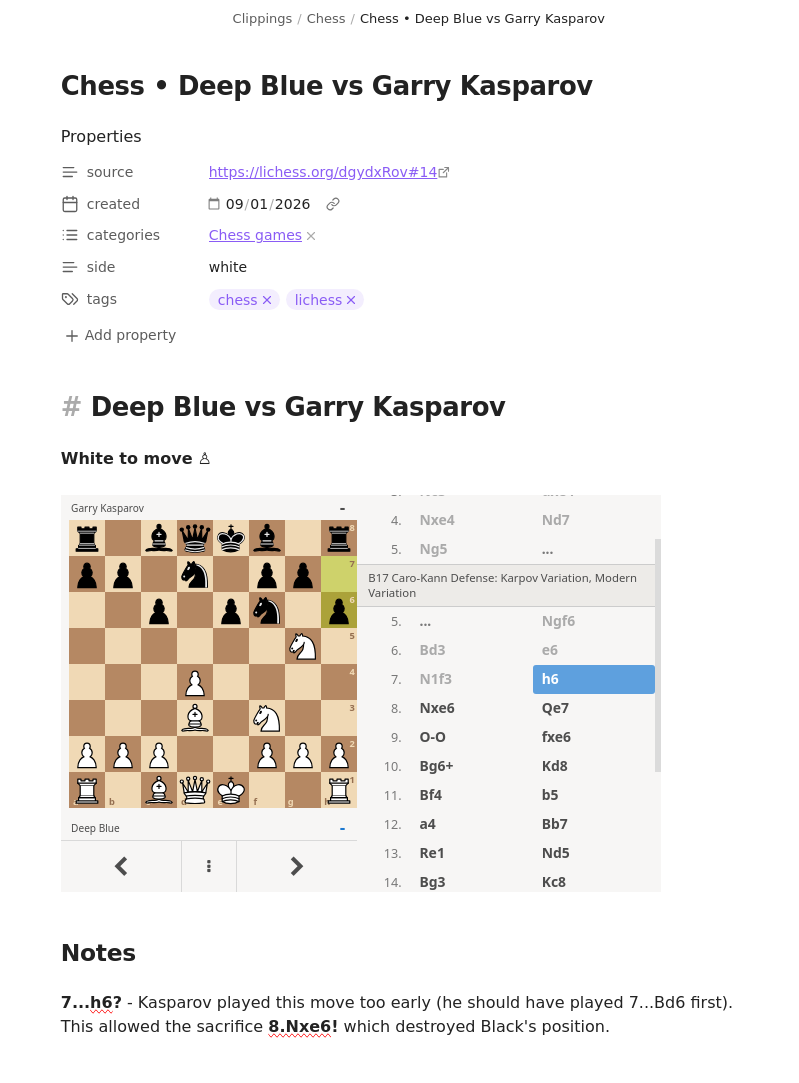
- An embedded interactive board via iframe
- YAML frontmatter with date, source URL, side, and tags
- A Notes section ready for your analysis
Using Obsidian Features
Once you have a collection of games:
- Graph view shows connections between openings and games
- Dataview queries can list all games where you played Black, or all blunders tagged
#tactics - Backlinks reveal which openings lead to consistent problems
- Reorganize you can spend hours changing the tags and improving the notes instead of playing chess, but that’s part of the fun!